
Host your own flag football or 7v7 tournament.
Teams sign up and pay online, you set up pools and a bracket in a few taps, and refs score every game live from their phones. Families follow every score on one page.
- Coaches register and sign your waiver in minutes
- Pools and a schedule with no double-booked fields
- Live scores, pool standings and a bracket
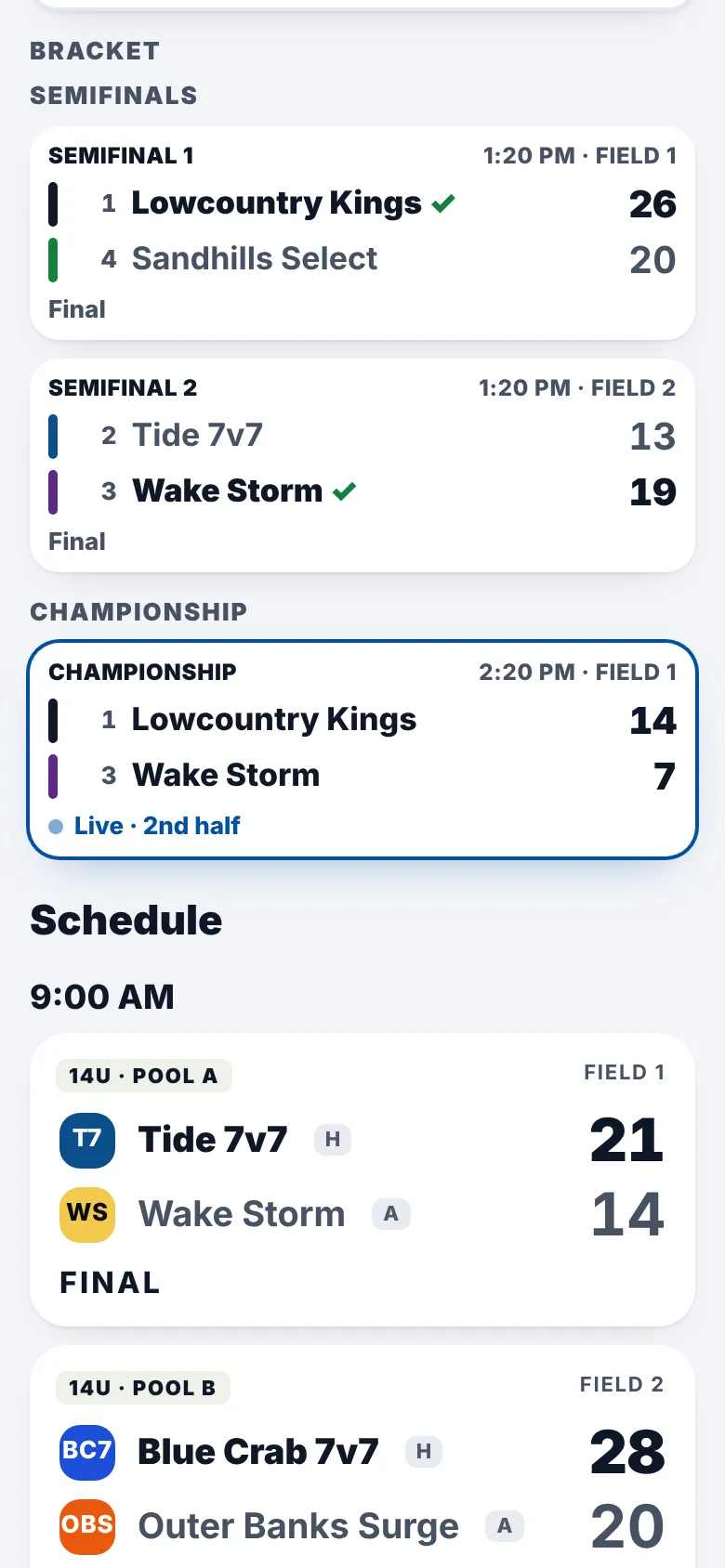
The screens on this page are the real app, with a made-up tournament and teams.
From sign-ups to the championship
Everything you do to run a tournament, in the order you do it.
Set it up
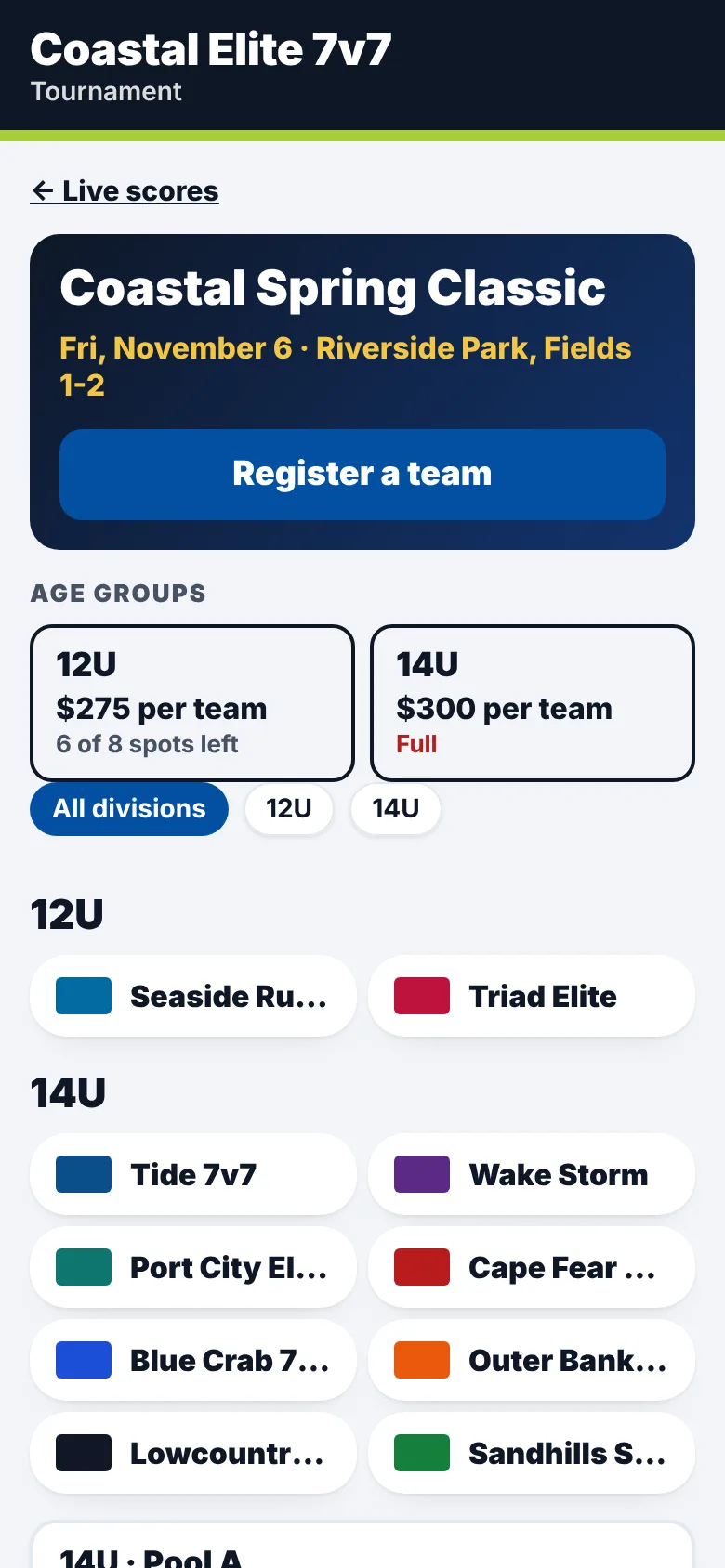
Your tournament page is live in minutes.
Add the name, dates, location, your waiver, and each age group with its price and how many teams it takes. Share one link, and coaches see what's open and what's full.
Teams sign up
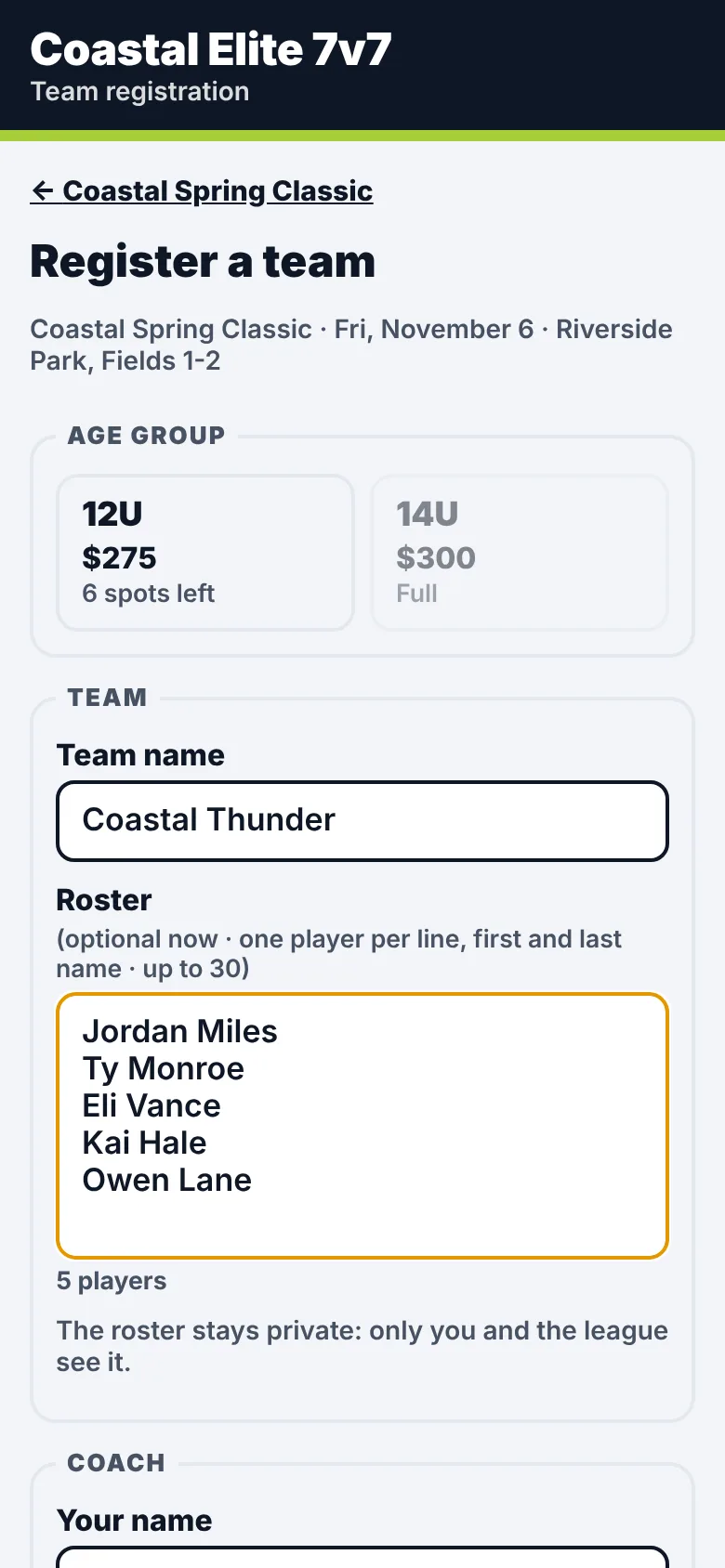
Coaches register, sign the waiver and pay.
Coaches pick an age group, add their roster and sign your waiver. They pay by card through Stripe, or by PayPal, Venmo, cash or check, and you mark them paid. Rosters stay private, and each coach gets a team link with their roster, waiver and payment.
Pools and schedule
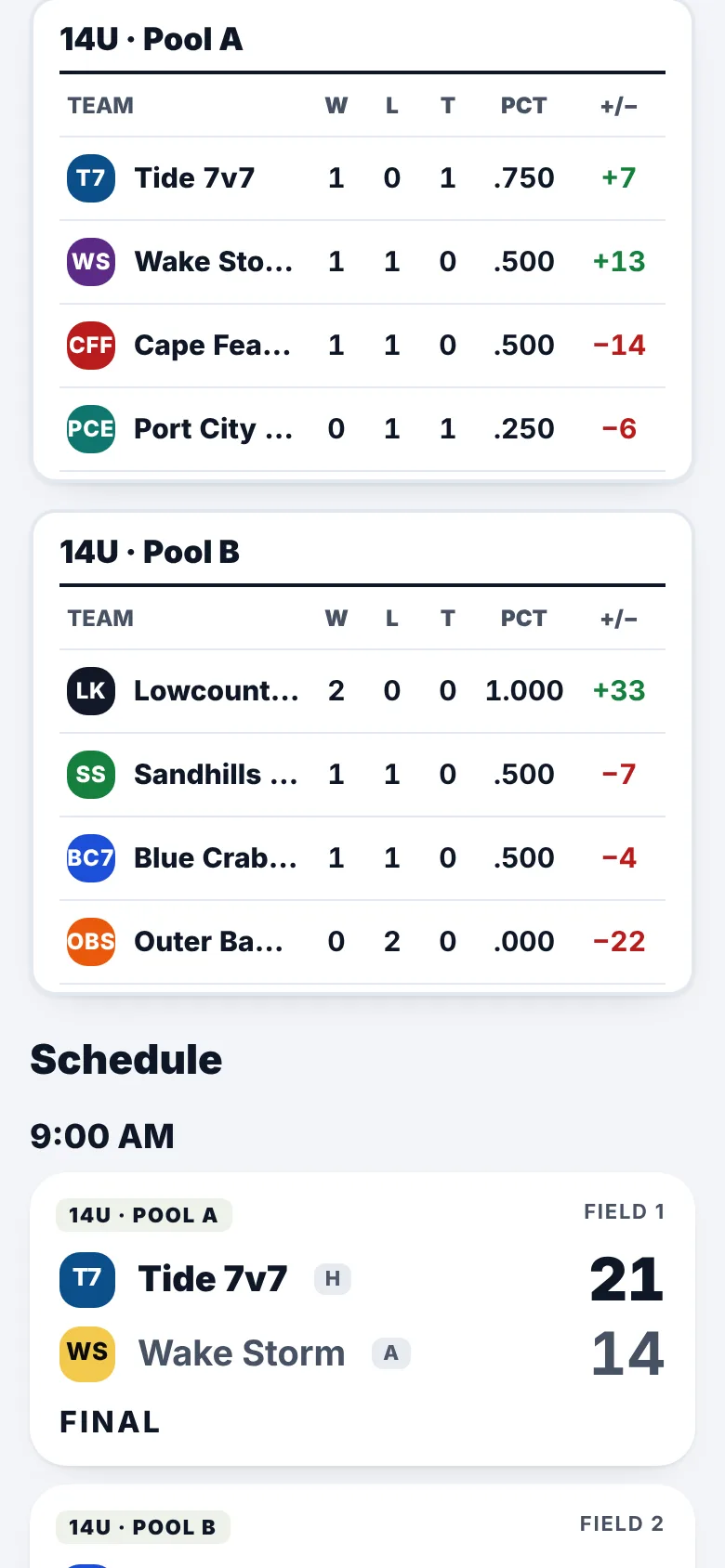
Pools and a full day of games in a few taps.
Approve the teams, split them into pools, pick your start time and fields, and it builds every pool game and checks that no team or field is double-booked. Pool standings keep themselves.
Game day
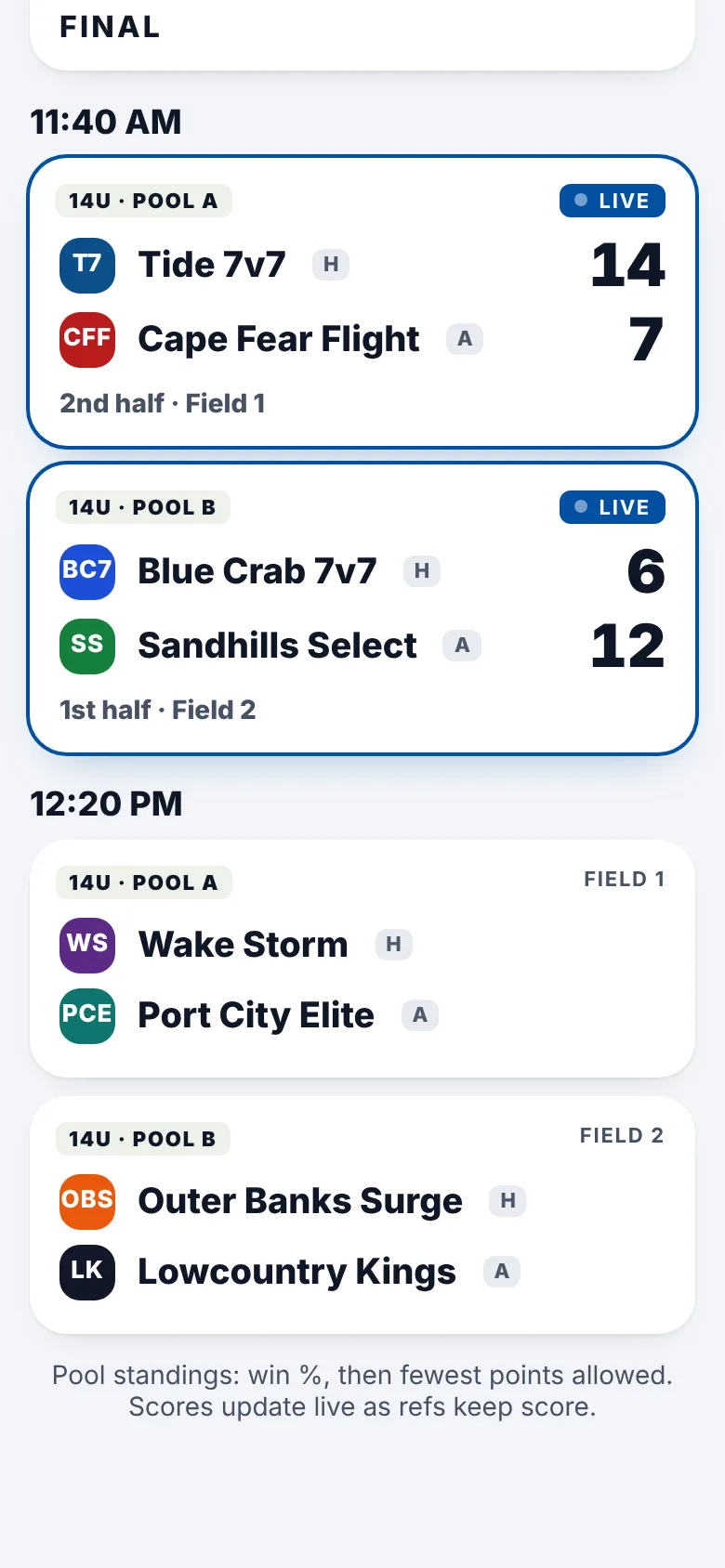
Every game live, scored from the refs' phones.
Send your refs one link. They score every play from their phones, even with weak signal, and every score shows live on the tournament page. A 7v7 club hosting its own tournament can also check each team in at the field.
The bracket
Seed the bracket from the pools, and it runs itself.
Build the bracket from the pool standings. As soon as a winner is known, they move on to the next game, all the way to the championship.
Run your next tournament from your phone.
Talk to us about your tournamentBuilt for tournament days
Paid your way
Card payments through Stripe, or PayPal, Venmo, cash and check that you mark paid. Decline a team and refund from the same page.
Your waiver, signed
Every coach checks the box and types their name to sign your waiver for their team.
Your own teams play free
A club hosting its own tournament adds its teams in one tap, with no entry fee.
One link for refs
No sign-in for refs. If a phone dies, another phone picks up the game where it left off.
Teams to a spreadsheet
Download every team and coach as a spreadsheet any time.
No app to download
Coaches, refs and families use it in any phone's browser.
Optional: player age verification
For tournaments that want proof of age. It's a document check by your tournament: a person you pick looks at each document and decides. There's no face matching and nothing is approved automatically.
1. Coaches add parent emails
On their team link, coaches add a parent's email for each player. Brothers and sisters share one link.
2. Parents send a document
A photo of a birth certificate, passport or state ID, and a current photo of the player. Parents can cover the document number and address.
3. Your reviewers decide
Your reviewers check the birth date against your age limits and approve, or ask the parent to fix something. Parents can ask again with a note.
4. Verified at check-in
On game day, your staff see each player's photo with Verified or Not verified, or scan the player's QR code. Coaches can ask you to check an opponent's roster.
Documents don't stay
Document photos are deleted 30 days after the decision. What stays is the approval, not the document.
Staff see only what they need
Check-in staff see the player's photo, first name and last initial, and Verified or Not verified. Never a birth date or a document.
Good all year
An approval counts for all of your tournaments for the rest of the competition year.
Every decision on record
Every decision and every time someone opens a document is written down, and the record can't be edited.
The rules
- Ages on January 1
- Ages are counted on January 1 of the tournament's year, unless your tournament picks another date.
- Good for the year
- An approval lasts through the end of the competition year for all of your events. The player photo must be no more than 12 months old on the first day of an event, or the parent sends a new one.
- Parents can ask again
- With a note or a new document. A different reviewer decides, then you make the final call, all before your review deadline (3 days before the start unless you set another). After that, only you, at the check-in desk.
- Matching the child to the photo
- At check-in, staff compare the child in front of them with the photo on the roster and mark Matches the photo, Doesn't look like the photo, Not here, or Not verified. No face-matching software.
- Host checks
- You can check any team or game at any time, at no charge.
- Opponent challenges, kept separate
- If you allow them, a coach can ask you to check an opponent's roster until requests close. You set any fee, refund and consequences. Asking never means the other team did anything wrong, and the coach who asked sees only counts.
Full rules in our terms · How documents are kept and deleted
Age verification is starting as a pilot. Ask us about using it at your tournament.
Pricing
$10 per team that plays.
Included for leagues and 7v7 clubs already on FastPlay HQ. Age verification is free during the pilot. Try it first with a free test tournament.
Talk to us about your tournament
Tell us about your tournament. We'll set up a free test tournament with your name, age groups and colors, so you can try sign-ups, pools and live scoring with made-up teams first.
Or reach us directly: